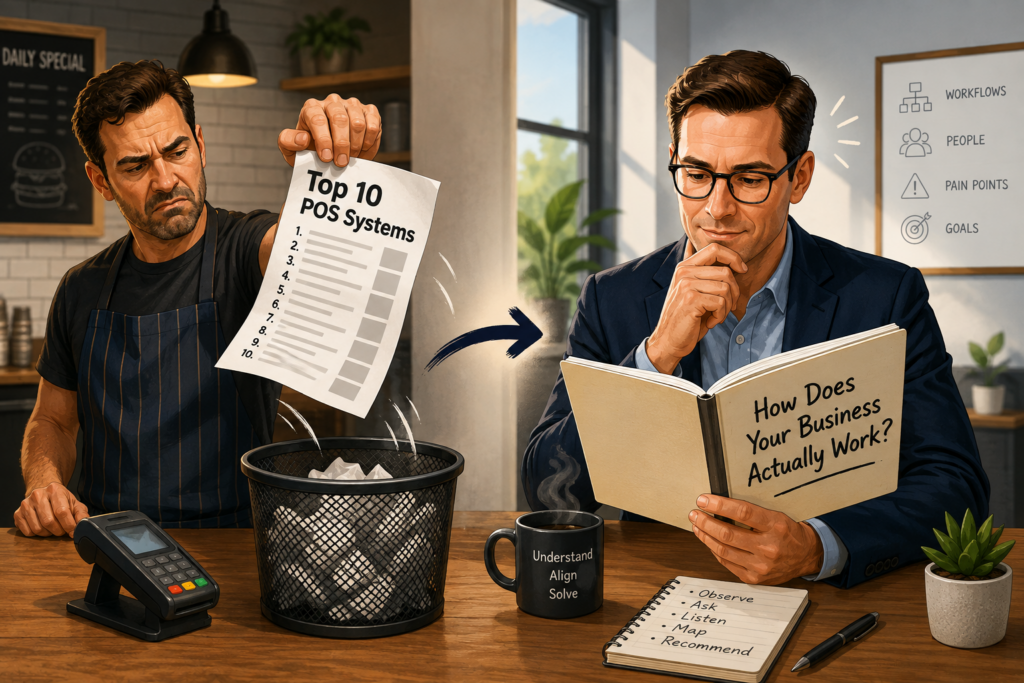

Every year, the internet produces another mountain of articles promising to identify the “best” POS systems for restaurants, retailers, salons, bars, contractors, coffee shops, and nearly every other type of merchant.
The titles usually look something like this:
- The 10 Best POS Systems of 2026
- The 5 Best Restaurant POS Systems
- The Best POS for Small Businesses
- The Best Affordable POS Systems
- The Best POS for Growing Companies
The articles look objective. They contain comparison charts, star ratings, pros and cons, product screenshots, and brightly colored buttons telling readers to “Visit Site,” “Get Started,” or “Compare Prices.”
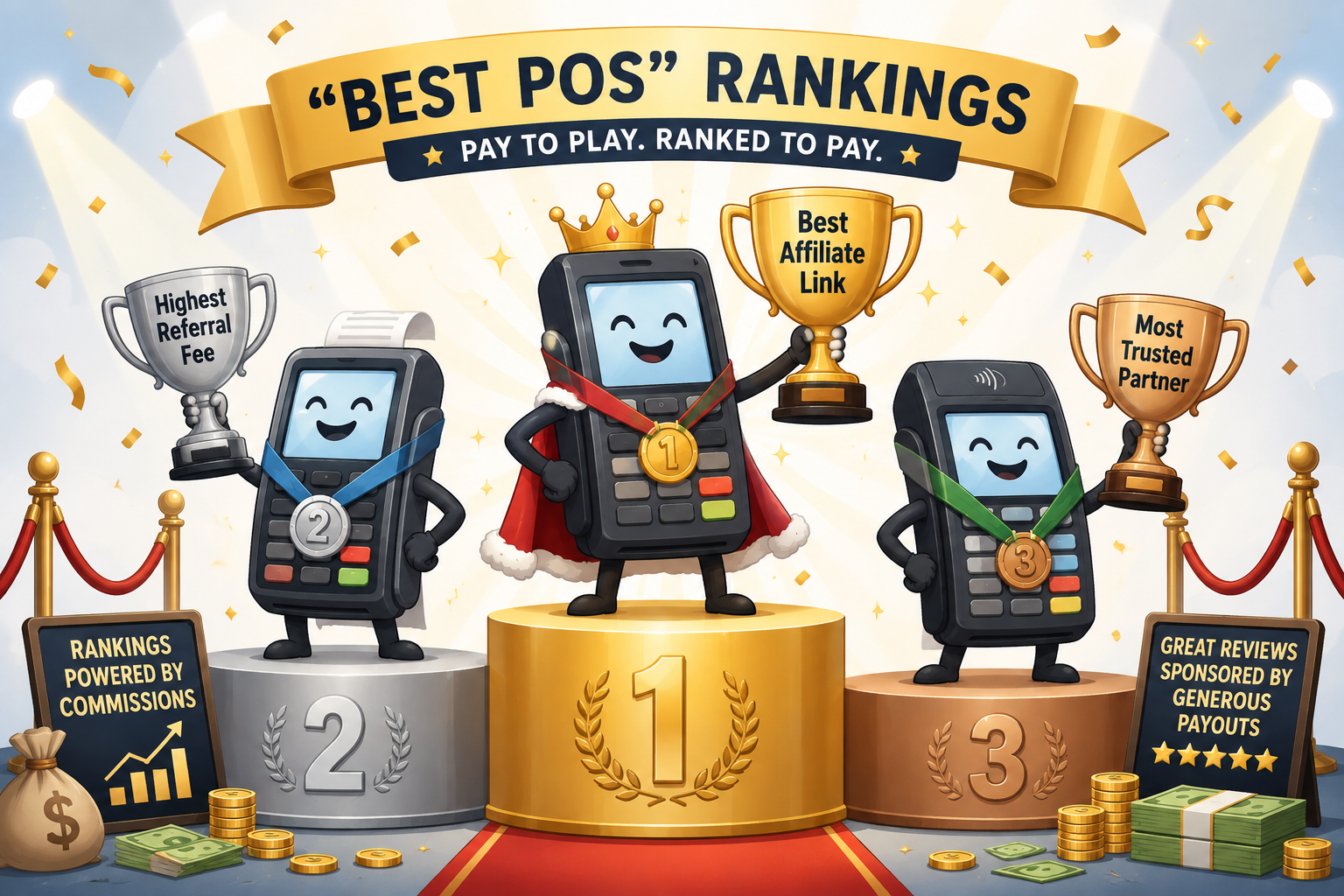
Then, somewhere on the page, you may find a disclosure explaining that the publisher can receive a commission or referral fee when readers click a link, request pricing, sign up for a service, or purchase a product.
That does not automatically make the research false.
It does create an obvious question:
Is this article helping the merchant find the right POS, or is it helping the publisher generate revenue from its approved list of providers?
There is also a bigger problem.
Even when a publication conducts legitimate product testing, a controlled demonstration cannot fully determine whether a POS will perform well inside a real business.
A POS does not operate in a laboratory.
It operates during the dinner rush.
Our Completely Scientific POS Ranking Method
To help merchants understand how some of these lists feel, we developed our own rigorous and completely impartial POS ranking methodology.
We spent several minutes reviewing affiliate buttons, marketing pages, and stock photos of smiling cashiers.
Here are the results.
1. Best Overall POS
The winner is whichever company provides the most attractive commercial opportunity.
It offers everything your business needs, assuming your needs perfectly match the publisher’s partnership portfolio.
2. Best POS for Restaurants
This system has a picture of a hamburger on its website.
Case closed.
It does not matter whether you operate a nightclub, a pizzeria, a food truck, a fine-dining restaurant, a coffee shop, or a 40-location franchise.
You all serve food, so your businesses must operate exactly the same way.
3. Best POS for Small Businesses
The winner uses the phrase “built for small businesses” on its homepage.
Nobody defines what a small business means.
It could have one employee or 100 employees. It could process $10,000 a month or $1 million a month. It could operate from one counter or several locations.
Those details would only complicate the ranking.
4. Best POS for Growing Businesses
This system offers a more expensive upgrade package.
Growth achieved.
5. Best POS for Customer Support
The salesperson answered immediately before the contract was signed.
We assume that level of urgency will continue forever.
6. Best POS for Transparent Pricing
Pricing becomes completely transparent after you:
- Complete a contact form.
- Receive six emails.
- Schedule a discovery call.
- Sit through a 45-minute demonstration.
- Speak with a sales manager.
- Submit three months of processing statements.
Crystal clear.
7. Best POS for Integrations
The system integrates with 300 applications.
None of them include the accounting, payroll, online ordering, scheduling, loyalty, or inventory tools the merchant already uses.
Still, 300 sounds impressive.
8. Easiest POS to Use
The reviewer successfully completed a test order in a quiet room.
The test included one employee, one order, no customer line, no kitchen backup, no interrupted conversation, no split checks, no declined cards, and no bartender trying to close 40 tabs at 2:00 a.m.
Clearly, the system is effortless.
9. Best POS for Inventory
It has an inventory button.
What happens after someone clicks that button remains a mystery.
10. Best POS for You
After carefully considering everything we know about your business, which is nothing, we recommend one of our trusted partners.
Conveniently, there is a large button directly below this paragraph.

A Real Example: Tech.co’s Best Restaurant POS Rankings
We do not need to invent an example.
Tech.co publishes a guide titled “Best Restaurant POS Systems 2026: Hands-On Comparison.” It evaluated 11 POS platforms and named Toast the best restaurant POS, while also directing readers toward providers through buttons such as “Visit Toast,” “Visit Square,” “Compare Quotes,” and “Try SumUp.”
Tech.co also discloses how it earns money.
Its restaurant POS article states that the company may receive a commission when readers click certain links to review or purchase a product or service. Its broader disclosure explains that Tech.co may receive referral fees when readers use its pricing forms, visit a supplier, sign up for a service, or make a purchase.
To Tech.co’s credit, it does not hide this relationship.
The company also says its commercial partnerships do not affect its editorial decisions and that its ratings and rankings cannot be purchased. We have no evidence that Tech.co sells ranking positions, and we are not accusing it of doing so.
But the disclosed business model still matters.
The publication recommends POS providers, directs readers toward those providers or into a quote-comparison form, and may receive money when readers take certain actions.
That does not automatically invalidate the research.
It does create a financial conflict that readers should consider before treating a general ranking as an individualized recommendation.
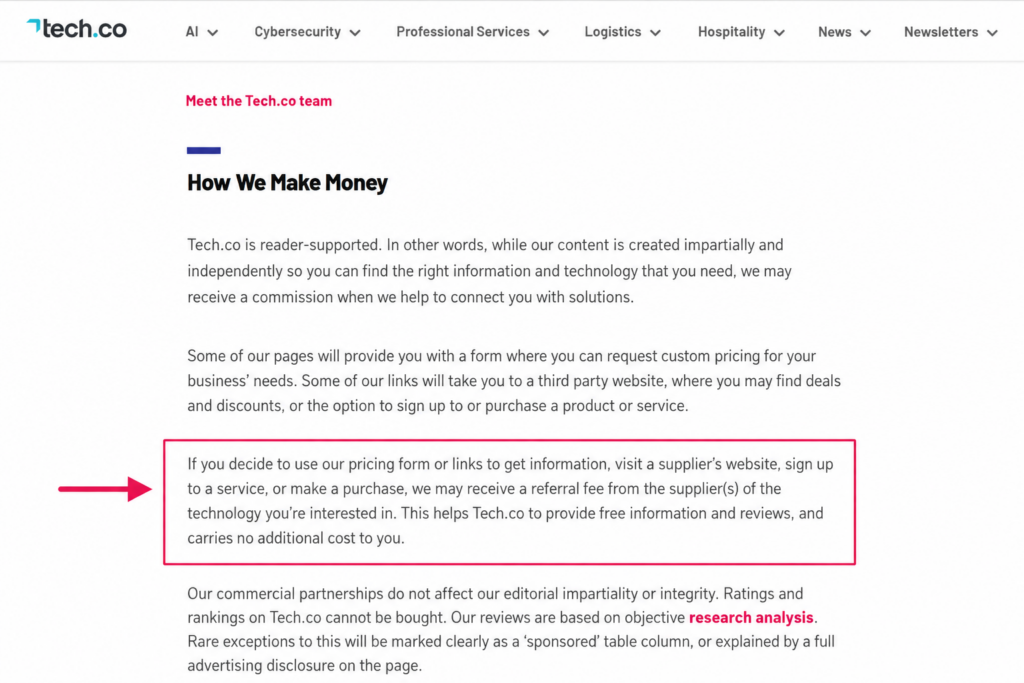
Our rankings cannot be bought. We may, however, receive a referral fee after our ranking sends you to the winner.
Parody commentary. This is not a direct quote from Tech.co.
Tech.co Has a Real Methodology. That Does Not Make It a Real Restaurant.
We should give credit where it is due.
Tech.co says it spent more than 100 hours researching restaurant POS systems and completed 17 tested tasks. Its published restaurant methodology weighs software at 35%, hardware at 20%, user experience at 20%, value and cost efficiency at 10%, help and support at 10%, and brand reputation at 5%.
That is more substantial than an anonymous writer copying feature lists from vendor websites.
Tech.co also says its testers perform hands-on tasks, document their user journeys, and periodically repeat the testing process. In other POS content, it says it has spoken with daily POS users working in restaurants and retail.
The issue is not whether the researchers clicked enough buttons.
The issue is whether their testing environment recreates the conditions under which restaurant employees actually use those buttons.
A researcher can determine whether a POS allows someone to:
- Enter an order
- Add a modifier
- Split a check
- Move a table
- Apply a discount
- Search for an item
- Close a ticket
- View a report
That tells us whether the task can be completed.
It does not tell us how the task feels when the employee has 18 other things happening at the same time.
The Difference Between Completing a Task and Surviving a Shift
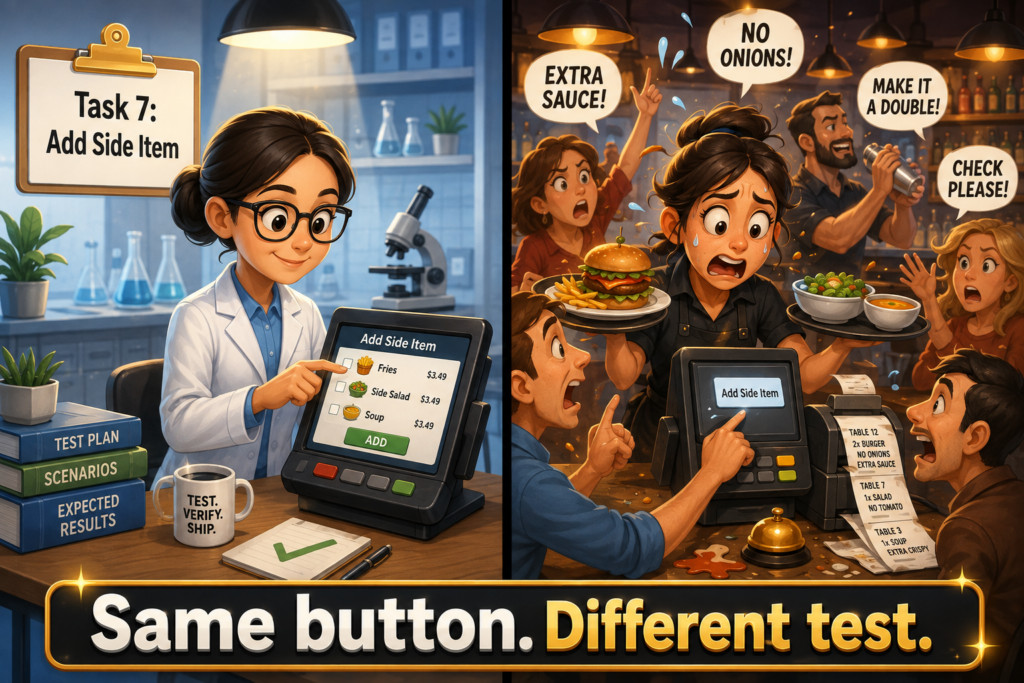
Anybody can walk up to a POS in a controlled environment and figure out how to add a side item.
That is a low bar.
Now imagine a server working a busy Saturday night.
The server is:
- Remembering two drink orders that have not been entered yet
- Waiting for the bartender to finish another table’s drinks
- Trying to locate a side dish for Table 14
- Watching for entrées coming out of the kitchen
- Answering a question from a new employee
- Hearing a guest request a split check
- Remembering an allergy modification
- Looking for a manager to approve a void
- Trying to greet a newly seated table
- Carrying three plates
- Getting stopped by a customer on the way to the kitchen
At that moment, the POS cannot merely be “learnable.”
It must be intuitive under pressure.
The button must appear where the server expects it.
The modifier flow must match how the restaurant takes orders.
The most common tasks must require as few decisions as possible.
The system must allow the employee to act almost through muscle memory, because the employee’s attention is already divided across customers, food, drinks, timing, coworkers, and multiple open checks.
A researcher who completes a task while calmly focusing on the screen measures basic usability.
A restaurant employee completing the same task while mentally tracking two tables, an allergy request, a missing side, and a delayed drink measures operational usability.
Those are not the same test.
Industry Context Changes the Meaning of “Easy to Use”
A POS reviewer does not necessarily need to spend 20 years working in a restaurant to provide useful product information.
But someone evaluating restaurant usability needs to understand restaurant work deeply enough to test the system under realistic conditions.
Otherwise, “easy to use” can mean little more than:
I found the button while giving the screen my full attention.
That is not how many restaurant employees use a POS.
Real usability depends on context:
- How many touches does the task require?
- Can the employee complete it with one hand?
- Does the workflow remain clear when the check contains 20 items?
- Can the server add modifiers without slowing down the conversation?
- Can a bartender retrieve an open tab in seconds?
- Can employees identify tables quickly?
- Does the system prevent common mistakes?
- Can the employee reverse a mistake without needing a manager?
- Does the screen remain readable in a dark bar?
- Can someone complete common tasks without searching through menus?
- What happens when several orders arrive at once?
- Can employees move quickly without sacrificing accuracy?
- Does the process still work after the menu becomes large and complicated?
You cannot answer those questions by testing a blank demo account with ten sample menu items.
The system needs to be configured like a real restaurant and tested by people who understand the job.
A Laboratory Can Test Features. It Cannot Recreate the Dinner Rush.
Tech.co’s testing categories can measure important factors such as available hardware, software capabilities, pricing, support channels, and whether testers can navigate the interface.
Those measurements can help narrow the list.
They cannot fully recreate:
- A bartender opening and retrieving tabs while serving several customers
- A kitchen receiving dine-in, takeout, and delivery orders simultaneously
- A server splitting a check six different ways
- A manager investigating an unauthorized discount during service
- A cashier handling a line while answering the phone
- A restaurant switching to offline procedures during an internet outage
- A new employee learning the system during a busy shift
- A closing manager reconciling cash, tips, refunds, voids, and gift cards
- A chef trying to control incoming online orders during a kitchen backlog
A publication can test whether a feature exists.
It may even test whether the feature works.
That still does not prove the workflow fits a specific restaurant.
The Claim Should Match the Test
Tech.co says Toast earned the highest score in its restaurant POS evaluation and calls it the best restaurant POS. It also identifies different alternatives for smaller restaurants, growing businesses, hardware needs, staff communication, and simple service.
The more defensible conclusion would be:
Toast earned the highest score under Tech.co’s standardized testing methodology.
That statement describes what the testing established.
A much broader claim is:
Toast is the best POS for restaurants.
That language suggests one platform can sit at the top of an entire industry containing dramatically different businesses.
A nightclub is not a pizzeria.
A pizzeria is not a fine-dining restaurant.
A fine-dining restaurant is not a drive-through.
A drive-through is not a food truck.
A food truck is not a 30-location franchise.
Calling one product the “best restaurant POS” compresses thousands of different workflows into one marketable headline.
Even Tech.co’s buying guidance acknowledges that restaurants should consider their business type, size, budget, hardware requirements, number of locations, employee experience, and required integrations.
That acknowledgment exposes the limitation of the universal ranking.
If the correct choice depends on all those variables, nobody can identify the best POS for an individual restaurant without understanding those variables first.
The Larger Problem Is Bigger Than Affiliate Revenue
Affiliate relationships deserve transparency, but they are only part of the problem.
The larger issue is that many POS recommendations begin with software instead of the merchant.
The conversation usually sounds like this:
- Do you need online ordering?
- Would you like loyalty?
- Do you want handheld devices?
- Do you need inventory management?
- Would you like gift cards?
- Do you need employee scheduling?
Those are feature questions.
They are not business questions.
A qualified POS consultant should first understand how the merchant operates, where the existing process breaks, what those problems cost, and what needs to change.
A feature only matters when it solves a real operational problem.
POS Representatives Learn Products, Not Businesses
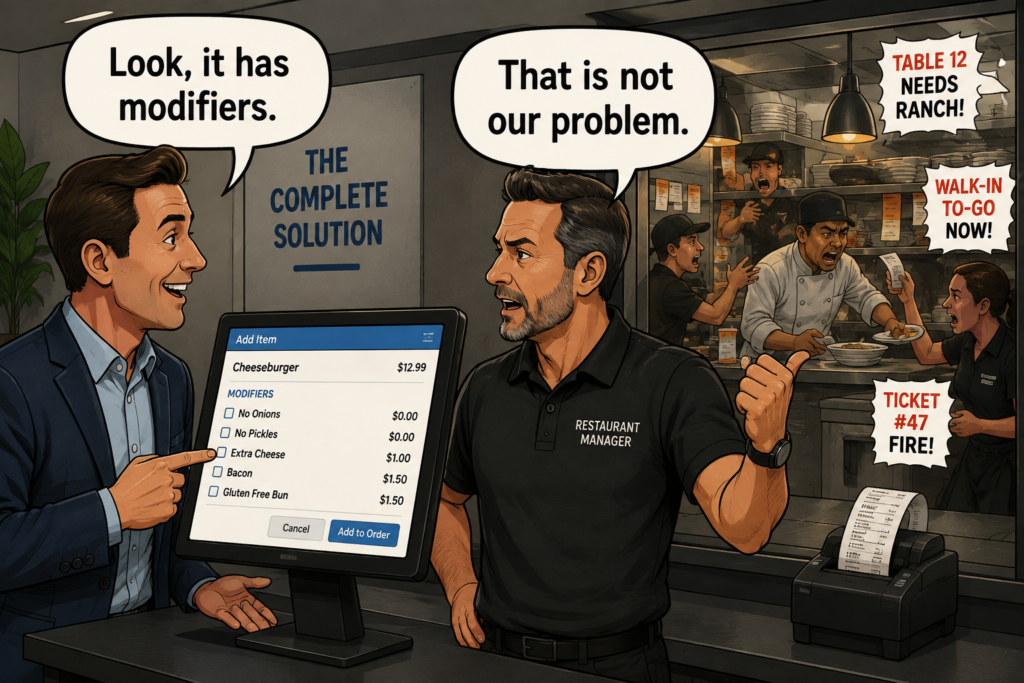
Most POS representatives receive training on the system they sell.
They learn how to:
- Create menu items
- Add modifiers
- Open and close checks
- Run reports
- Process refunds
- Set up employees
- Demonstrate loyalty
- Explain hardware
- Present pricing
- Respond to common objections
That training helps the representative demonstrate a product.
It does not automatically teach the representative how to diagnose a business.
Knowing where the split-check button sits does not mean the rep understands how a restaurant handles large parties.
Knowing that the system includes inventory does not mean the rep understands recipe costing, waste tracking, vendor purchasing, liquor variance, or ingredient-level depletion.
Knowing that the system supports online ordering does not mean the rep understands what happens when 25 online orders hit a kitchen that already has a 40-minute backlog.
The difference is simple:
A product-trained salesperson explains what the POS can do.
A business-trained consultant determines what the merchant needs the POS to do.
Three Restaurants Can Need Three Completely Different Systems
“Restaurant” is an industry category.
It is not a workflow.
Consider three businesses that all accept payments for food and drinks.
A Fast-Casual Lunch Restaurant
This business may care most about:
- Moving the line quickly
- Routing orders to the correct preparation stations
- Handling modifications without slowing down the cashier
- Coordinating counter, kiosk, and online orders
- Preventing the kitchen from becoming overloaded
- Tracking order completion times
- Supporting customer-facing displays
- Processing high volumes of lower-ticket transactions
A process that adds 20 seconds to every order can create a serious bottleneck during lunch.
A Nightclub
This business may care most about:
- Opening tabs quickly
- Preauthorizing cards
- Retrieving customers by name
- Supporting multiple bartenders
- Controlling discounts and voids
- Adjusting tips
- Tracking liquor
- Closing dozens of checks at the end of the night
- Operating reliably in a dark, loud, crowded environment
A beautiful menu interface means very little when bartenders cannot find open tabs quickly.
A Fine-Dining Restaurant
This business may care most about:
- Seat numbers
- Course timing
- Table management
- Wine service
- Complex check splitting
- Tip pooling
- Server permissions
- Reservation integrations
- Guest notes
- Front-of-house and kitchen coordination
The simplest POS may create more work instead of less.
All three businesses qualify as restaurants.
All three might technically be able to use the same POS.
That does not mean they should use the same system, configuration, integrations, hardware, or payment arrangement.
A Feature Checklist Cannot Diagnose a Business
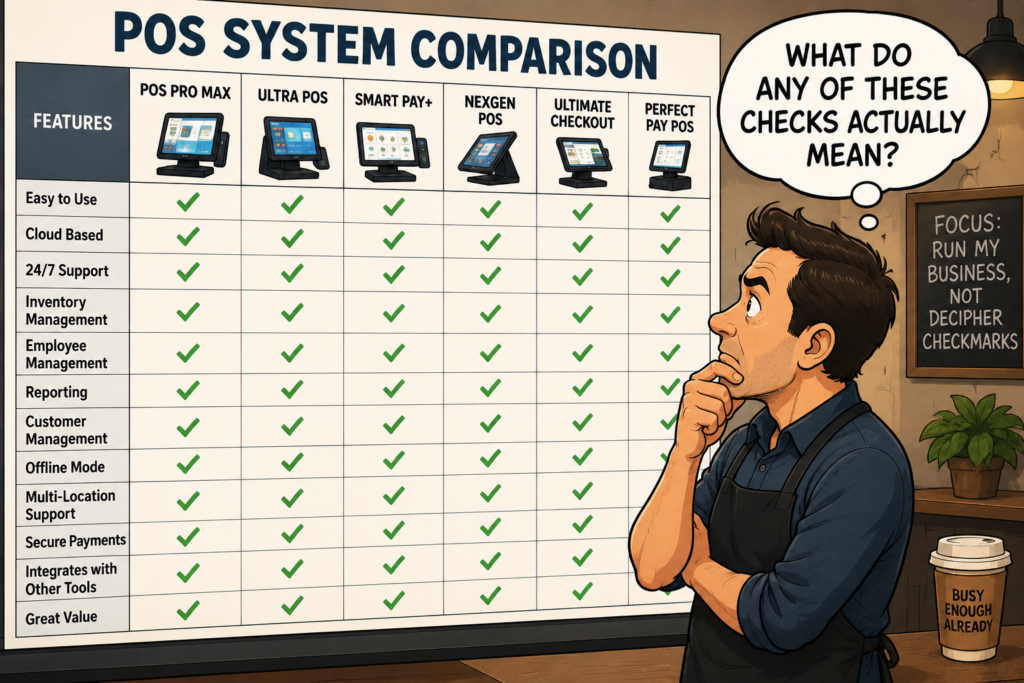
Comparison articles often reduce POS selection to a chart.
| Feature | POS A | POS B | POS C |
|---|---|---|---|
| Online ordering | Yes | Yes | Yes |
| Loyalty | Yes | Yes | Yes |
| Inventory | Yes | Yes | Yes |
| Reporting | Yes | Yes | Yes |
| Gift cards | Yes | Yes | Yes |
The table looks useful.
It hides the questions that matter.
Three systems may all claim to provide inventory management.
One may track finished products.
Another may track ingredients.
Another may technically include inventory, but require so much manual entry that the staff stops using it after two weeks.
A green checkmark does not tell you:
- How well the feature works
- How much configuration it requires
- Whether it matches the merchant’s workflow
- Whether the staff will use it
- Whether it requires another paid integration
- Whether the data remains accurate
- Whether the process saves time or creates additional work
The same problem applies to nearly every feature.
“Yes, it integrates with accounting software” could mean automatic synchronization.
It could also mean exporting a spreadsheet and manually uploading it every week.
“Yes, it supports online ordering” could mean a polished first-party ordering platform.
It could also mean a basic page with limited menu controls and no way to slow or pause orders when the kitchen becomes overwhelmed.
A checkbox does not tell the whole story.
What a Competent POS Consultant Should Ask
A serious POS conversation should begin with the merchant’s current operation.
What Are You Using Now?
Before recommending a replacement, the consultant needs to understand the current environment.
That includes the POS, payment processor, online ordering platforms, accounting software, payroll system, loyalty program, scheduling tools, inventory process, and any manual workarounds.
What Is Not Working?
The consultant should uncover specific problems.
Examples include:
- Orders going to the wrong kitchen station
- Employees entering modifiers incorrectly
- Managers spending hours combining reports
- Online orders overwhelming the kitchen
- Employees sharing login credentials
- Inaccurate inventory
- Poor support
- Internet-related disruptions
- High processing costs
- Unclear contract terms
- Slow checkout times
- Difficult tip distribution
- Weak reporting across locations
“Your system is old” is not a diagnosis.
What Happens If the Problem Continues?
A problem becomes a priority when the merchant understands its impact.
The consultant should help quantify that impact:
- How many labor hours does management waste each week?
- How many orders contain preventable mistakes?
- How much food gets wasted?
- How many customers abandon the line?
- How frequently does the restaurant issue refunds?
- How much revenue does the business lose during downtime?
- What will the problem cost over the next six months?
This separates expensive operational problems from minor annoyances.
What Happens During the Busiest 30 Minutes?
A POS should handle the merchant’s hardest period, not only a controlled demonstration.
The consultant needs to understand:
- Transaction volume
- Staffing
- Order flow
- Kitchen capacity
- Check sizes
- Tip procedures
- Customer lines
- Online ordering
- Table turns
- Manager approvals
- Common errors
- Internet reliability
A system that performs beautifully at 3:00 p.m. may become a disaster at 7:30 p.m. on Saturday.
Which Systems Must Connect to the POS?
The consultant should identify required integrations before making a recommendation.
These may include:
- Accounting
- Payroll
- Scheduling
- Reservations
- Delivery platforms
- Online ordering
- Loyalty
- Gift cards
- Inventory
- Ecommerce
- Customer relationship management
- Kitchen display systems
- Franchise reporting
Replacing the POS should not create five new manual processes.
What Does the Staff Actually Need?
Owners, managers, servers, bartenders, cashiers, kitchen employees, and bookkeepers use the system differently.
The owner may want reporting.
The bartender wants speed.
The kitchen wants accurate routing.
The manager wants controls.
The bookkeeper wants clean exports.
The recommendation must account for the people using the system every day, not only the person signing the contract.
What Does the Merchant Need to Control?
The consultant should understand permissions, accountability, and risk.
That includes:
- Discounts
- Refunds
- Voids
- Cash-drawer openings
- Timecard edits
- Tip adjustments
- Menu changes
- Report access
- Gift card issuance
- Employee transfers
- Manager overrides
Many merchants do not know they need these controls until something goes wrong.
The Best POS Is Not Always the Most Powerful POS
More features do not automatically create a better system.
Unused features add complexity.
Complexity creates training problems.
Training problems create mistakes.
Mistakes create work.
A small coffee shop may not need an enterprise platform with advanced franchise controls and dozens of integrations.
A multi-location restaurant group may quickly outgrow a basic system designed for one counter.
The goal is not to buy the POS with the longest feature list.
The goal is to select a system that fits the operation, solves meaningful problems, and supports the business without creating unnecessary complexity.
A Better Way to Evaluate a POS
Merchants should evaluate POS systems across five areas.
Operational Fit
Does the system match how orders, payments, employees, customers, and information move through the business?
Financial Fit
What will the merchant pay for software, hardware, processing, support, installation, integrations, upgrades, and contract termination?
Technical Fit
Does the system work with the merchant’s required applications, internet environment, hardware, reporting, and security requirements?
Staff Fit
Can employees use the system accurately and quickly while multitasking under real operating conditions?
Support Fit
What happens when something breaks on Friday night?
The answer should cover support hours, escalation procedures, hardware replacement, remote assistance, and realistic response times.
Merchants Should Demand Better Recommendations
Before accepting a POS recommendation, ask the representative to explain why the system fits your specific workflow.
A credible answer sounds like this:
You told me your biggest problem happens during lunch, when counter orders, kiosk orders, and online orders all reach the same preparation station. This system lets you route those orders separately, control online ordering times, and manage production from one kitchen display. That should reduce manual sorting and give the manager more control during peak periods.
A weak answer sounds like this:
This is our most popular restaurant package, and it includes online ordering.
The first answer connects the recommendation to an operational problem.
The second describes a product.
About Those “Best POS” Lists
A comparison article can help a merchant create an initial list of systems to investigate.
It should not make the final decision.
The publication probably has not:
- Visited your business
- Watched your employees work
- Observed your busiest shift
- Reviewed your menu
- Examined your processing agreement
- Studied your integrations
- Reviewed your reports
- Calculated the cost of your current problems
- Spoken with your bartender, server, chef, manager, and bookkeeper
- Tested your internet connection
- Watched your staff use the POS while multitasking
Without that information, declaring one product the best POS for your business is premature.
At best, the article identifies products worth researching.
At worst, it disguises a lead-generation funnel as personalized advice.
The Final Ranking
After an exhaustive review, we selected the best POS system for every merchant.
The winner is:
It Depends.
It depends on how the business operates.
It depends on what is broken.
It depends on the employees using the system.
It depends on transaction volume, order flow, kitchen structure, integrations, payments, support, controls, budget, and growth plans.
That answer does not fit neatly into an affiliate comparison chart.
It is still the honest answer.
A POS representative should do more than demonstrate software.
A competent consultant should understand the merchant well enough to determine whether the software belongs inside the business at all.
Before asking which POS has the most features, ask a better question:
Which system solves the problems that are actually costing this business time, money, customers, or control?
That is where a real POS evaluation begins.