
Accept Payments Directly From Your Customer’s Bank
When traditional credit card processing is too restrictive, Pay by Bank gives qualified merchants another way to get paid.
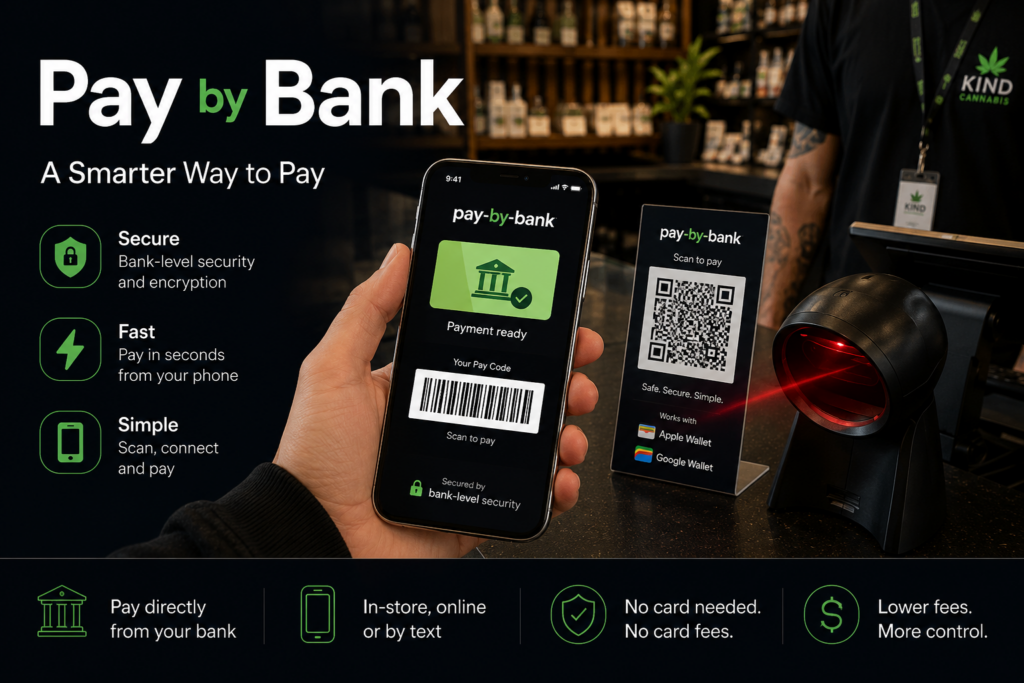
Instead of routing the transaction through Visa or Mastercard, the customer securely connects an eligible bank account, reviews the payment, and authorizes the transfer directly from their bank.
No credit card required.
No debit card required.
No card number to enter.
$60 per month.
Process at least $10,000 per month through Pay by Bank and the $60 monthly platform fee is waived.
Why Pay by Bank Exists
Visa and Mastercard Are Not the Only Ways to Get Paid
Visa and Mastercard operate their own payment networks and establish their own underwriting, merchant, product, and transaction requirements.
That means a business can sometimes sell a lawful product or service and still have difficulty getting approved for traditional card processing.
Pay by Bank provides another payment option.
Instead of trying to force a transaction through a card network that does not want to support it, qualified merchants can use a payment method that starts with the customer’s bank account.
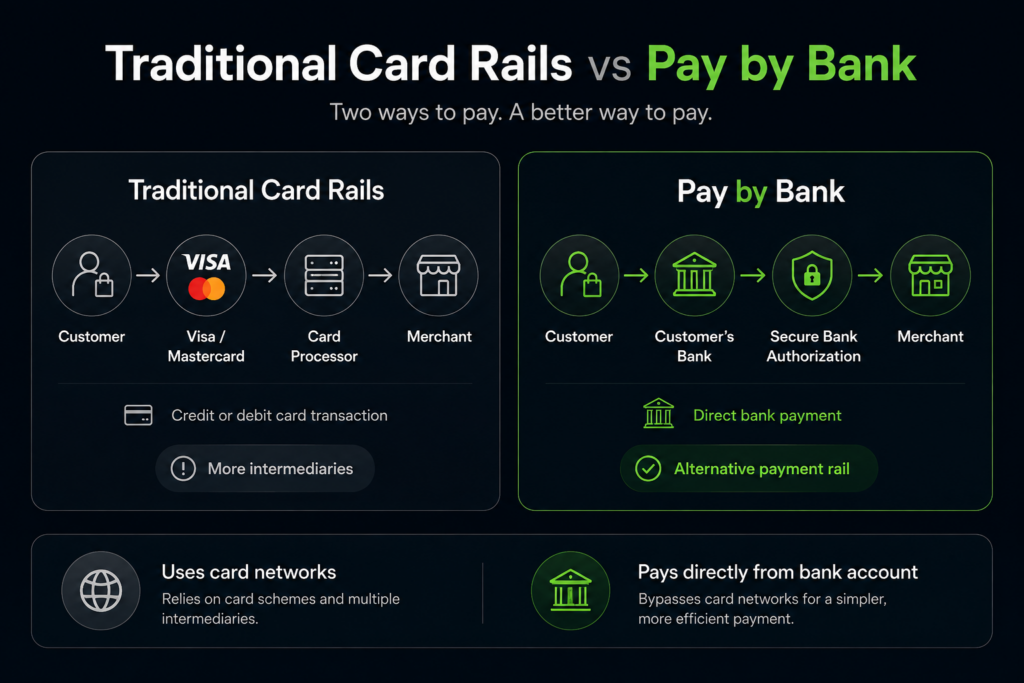
A Different Payment Method. A Different Set of Rails.
Traditional card payment:
Customer → Visa/Mastercard → Card Processor → Merchant
Pay by Bank:
Customer Bank → Secure Bank Payment → Merchant
Pay by Bank does not exist to disguise what you sell.
We want to know exactly what your business does, what products you sell, and how you operate.
Pay by Bank is best suited for established businesses. We generally look for merchants that have been operating for at least 12 months with consistent sales and a solid financial position. Newer businesses may still qualify, but we’ll want to see strong cash reserves, meaningful transaction volume, and evidence that the business is well established and financially stable
When Traditional Card Processing Is Not a Good Fit
Some industries receive significantly more scrutiny from Visa, Mastercard, acquiring banks, and traditional payment processors.
Depending on the specific business, products, jurisdiction, licensing, and underwriting requirements, Pay by Bank may provide an option for merchants in industries such as:
- Certain regulated products
- Hemp and cannabinoid businesses
- State-regulated cannabis businesses where supported
- Certain peptide businesses
- Wellness products
- Nutraceuticals
- Pharmaceutical or medical-related products
- Other industries that face additional card-network restrictions
Approval is always based on the specific merchant and specific products being sold.
We do not provide processing for illegal products or services.
Merchants must comply with applicable federal, state, and local law, along with applicable FDA, licensing, banking, sponsor-bank, and payment-program requirements.
We Do Not Help Merchants Hide Their Business
We do not support:
- Fake merchant accounts
- Misleading business descriptions
- Disguised products
- Improper merchant category coding
- Transactions for illegal products or services
If the real business qualifies, we want to approve the real business.
Why Retail Businesses Should Consider Pay by Bank
Payment Redundancy Matters
Even a traditional retail business with excellent credit card processing can benefit from having another way to collect money.
What happens when your internet goes down?
Your POS may stop communicating.
Your credit card terminal may lose connectivity.
Your customers may still be standing at the register ready to buy, but you suddenly have no electronic way to accept their payment.
Pay by Bank can provide a backup.
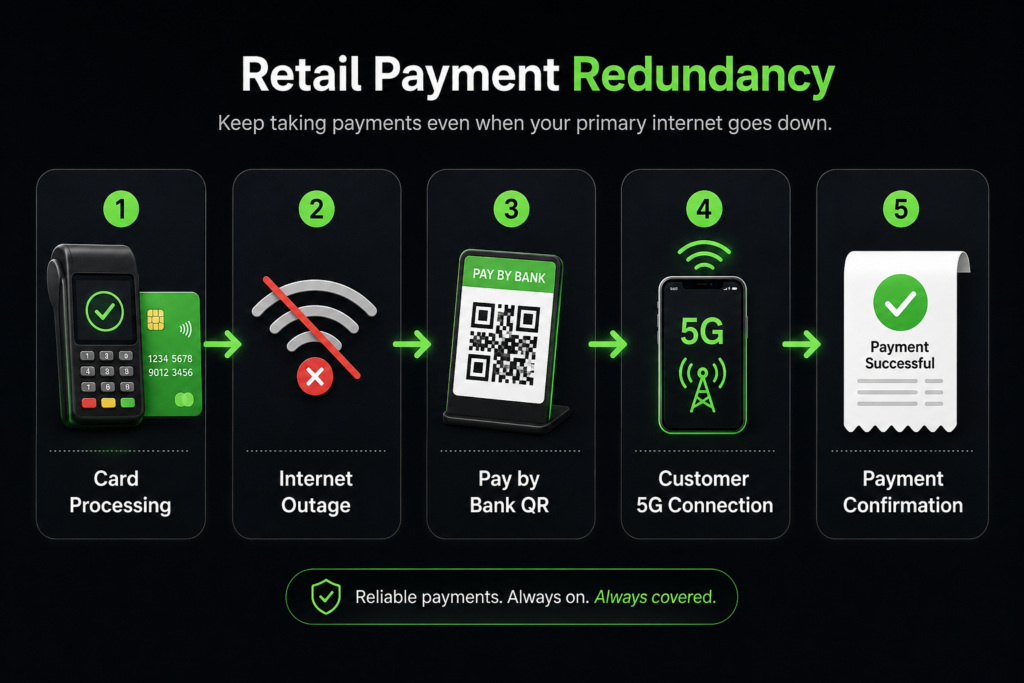
Keep Taking Payments When Your Store Internet Goes Down
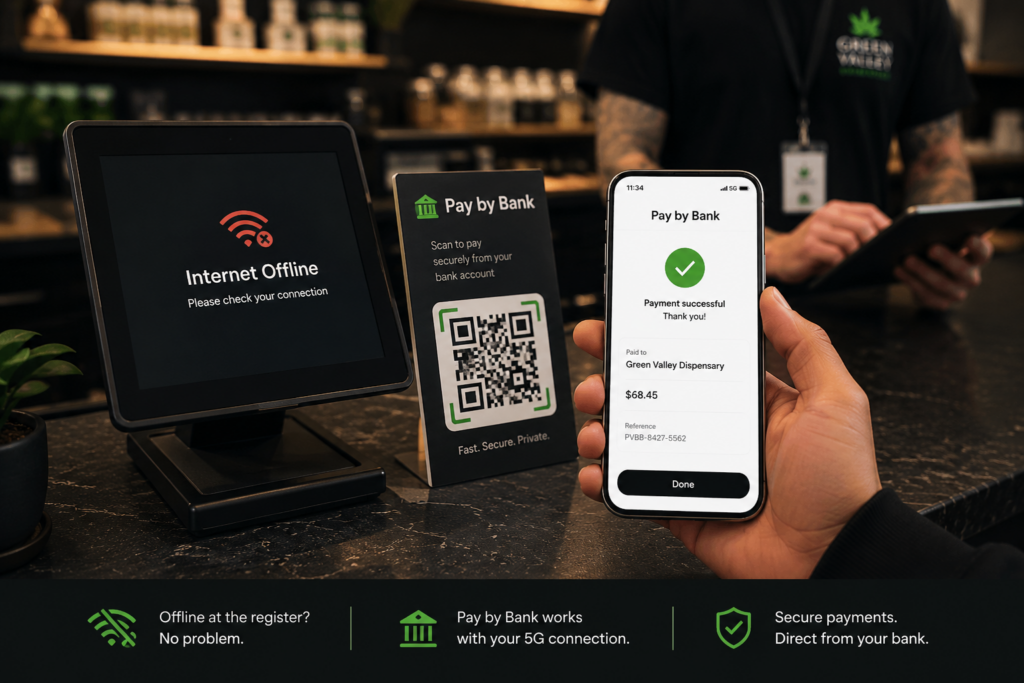
Your Pay by Bank QR code does not require your store’s Wi-Fi connection to be working for the customer to scan it.
The customer can use the cellular connection on their own phone.
During an Internet Outage, the Customer Can:
- Scan your Pay by Bank QR code
- Open the secure checkout page using their 4G or 5G connection
- Choose their bank
- Authenticate securely
- Review the payment
- Authorize the transaction
The customer completes the payment using their own cellular data connection.
How Does the Merchant Confirm the Payment?
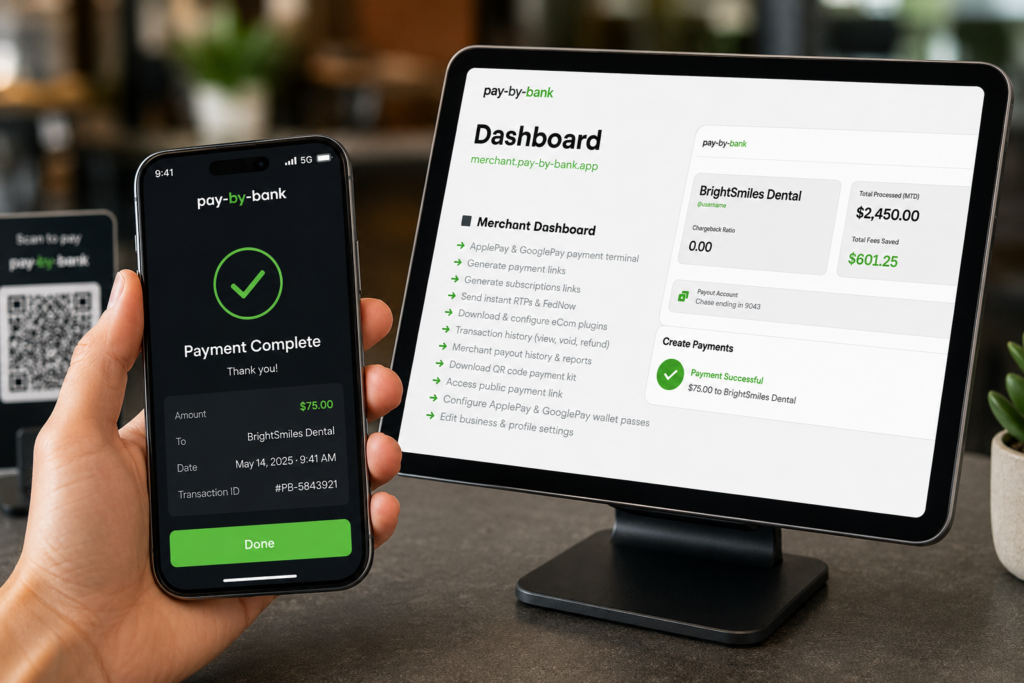
The merchant receives a payment confirmation electronically.
A retail business can keep a cellular-connected device available at the register, such as:
- A business smartphone
- A cellular-enabled tablet
- Another mobile device capable of receiving payment notifications
Once the customer completes the transaction, the merchant receives the payment confirmation on the connected device.
Scan. Pay. Confirm. Keep Selling.
Your Payment System Should Have a Backup
Your business should not depend entirely on one terminal, one internet connection, or one payment rail.
A strong retail payment setup might include:
- Credit cards
- Debit cards
- Pay by Bank
- ACH where appropriate
- QR code payments
- Text payment links
- Cellular connectivity
If your primary payment method becomes unavailable, you still have another way to get paid.
Internet Down?
Your customer can use their cellular service.
Card Terminal Down?
The customer can scan your QR code.
POS Connection Down?
The customer can complete the payment from their own phone.
Need to Verify the Payment?
Check the confirmation on your cellular-connected phone or tablet.
Don’t Let an Internet Outage Shut Down Your Register
If you process thousands of dollars in sales every day, even a short outage can cost real money.
Customers may not have cash.
They may not want to come back later.
Once they leave, you may never recover the sale.
Your store internet can go down without your ability to get paid going down with it.
Three Ways Customers Can Pay
Pay by Bank can work in person, remotely, and online.
The customer experience can be configured around how your business operates.
Option 1: In-Store QR Code
Turn a Customer’s Bank Account Into an Easy In-Store Payment Method
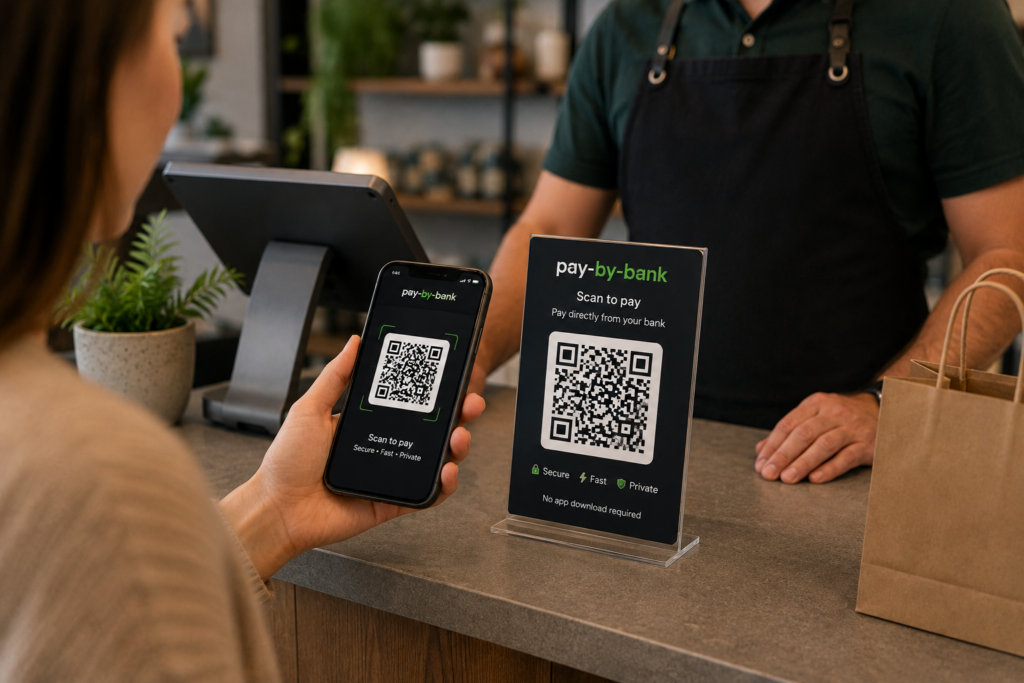
The customer starts by scanning your Pay by Bank QR code.
Step 1: Scan the QR Code
The customer scans a QR code displayed at your entrance, counter, register, or other convenient location.
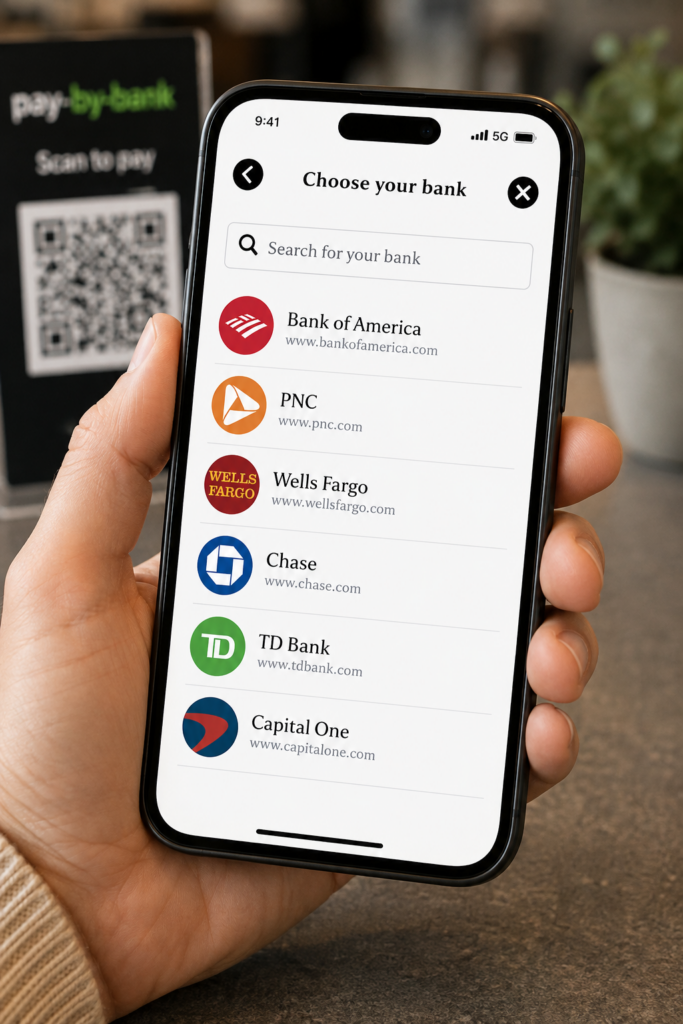
Step 2: Choose Their Bank
The customer searches for and selects their financial institution.
Step 3: Securely Connect Their Bank
The customer authenticates through the secure bank connection and selects the account they want to use.
The merchant does not need to collect or store the customer’s online banking credentials.
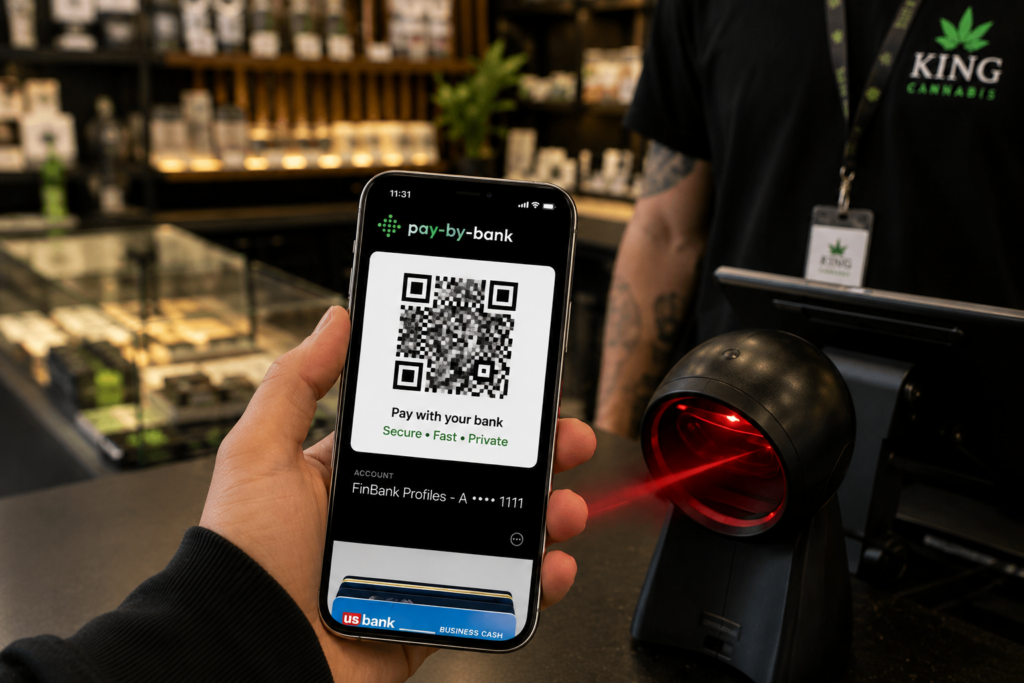
Step 4: Save Their QR Code
Once set up, the customer’s Pay by Bank QR code can be saved to their Apple Wallet or Google Wallet when supported by the program configuration.
That makes future transactions much faster.
Step 5: Scan and Pay
For future purchases, the customer presents the saved QR code.
The merchant scans the code using supported checkout equipment or a barcode scanner and initiates the authorized transaction.
Option 2: Pay by Text
Send the Checkout Link Directly to the Customer’s Phone
The customer does not need to stand in front of a payment terminal.
The merchant can send a secure payment request by text.
Here’s How It Works
- The merchant sends the customer a secure payment link
- The customer opens the link on their phone
- The customer chooses their bank
- The customer authenticates securely
- The customer selects the appropriate bank account
- The customer reviews the transaction
- The customer authorizes the payment
- The merchant receives confirmation
The entire transaction can happen from the customer’s phone.
This works well for:
- Remote customers
- Phone orders
- Service businesses
- Deposits
- Invoices
- Retail backup payments
- Customers who prefer completing payment on their own device
Option 3: Pay by Bank Online
Add Pay by Bank to Your Website Checkout
Online customers can select Pay by Bank during checkout instead of entering a credit or debit card.
The Customer:
- Selects Pay by Bank
- Chooses their bank
- Authenticates securely in the bank connection window
- Selects the account they want to use
- Reviews the amount
- Authorizes the payment
Prefer to Finish on a Phone?
The customer can also receive a secure payment link by text and complete the transaction on their mobile device.
A Familiar Bank-to-Bank Experience
Consumers already understand the concept of sending money directly from a bank account.
Pay by Bank creates a familiar experience similar in concept to other bank-to-bank payment services.
The customer:
Chooses their bank.
Connects securely.
Reviews the amount.
Authorizes the payment.
Done.
Pay by Bank is its own merchant payment solution and should not be confused with or represented as Zelle.
Built With Security in Mind
Customers control the payment from their own device.
They choose the bank.
They authenticate securely.
They select the appropriate account.
They review the payment.
They authorize the transaction.
Depending on the customer’s financial institution and connection method, authentication may involve:
- Secure bank login
- Multifactor authentication
- One-time verification codes
- Biometric verification
- Other bank-approved authentication methods
No Card Number Required
The customer does not need to provide a Visa or Mastercard number to complete a Pay by Bank transaction.
Merchants Do Not Need to Handle Bank Login Credentials
The secure bank-connection experience handles customer authentication.
The merchant does not need to collect the customer’s online banking username or password.
What Does Pay by Bank Cost?
$60 Per Month
The Pay by Bank platform costs $60 per month.
Process $10,000 or More Per Month?
We waive the $60 monthly platform fee.
Once you process at least $10,000 per month through Pay by Bank, the monthly platform fee becomes $0.
Transaction Pricing
Transaction rates vary based on the merchant and processing relationship.
Factors can include:
- Industry
- Average ticket size
- Monthly volume
- Business history
- Products or services sold
- Risk profile
- Processing history
- Overall merchant relationship
We review your business first and provide pricing based on the actual account.
Why Add Pay by Bank If You Already Accept Cards?
You do not necessarily need to replace card processing.
For many businesses, Pay by Bank works best as another payment option.
Your payment stack might include:
- Credit cards
- Debit cards
- ACH
- Crypto
- Pay by Bank
- Zelle
- Cashapp
- Venmo
- Other approved payment methods
The goal is payment redundancy and flexibility.
If one payment method becomes unavailable, changes its underwriting standards, experiences an outage, increases pricing, or stops supporting a particular transaction type, your entire business does not have to stop accepting payments.
Stop Building Your Business Around One Payment Rail
Visa and Mastercard offer tremendous reach, but they are not the only way to move money.
If traditional card processing does not fit your industry, or if you simply want another payment option available, Pay by Bank can give customers a direct way to pay from their bank account.
No Fake Merchant Accounts
No Hiding What You Sell
No Pretending You Operate in Another Industry
We want to understand your actual business.
If your products, operations, licensing, and transaction profile qualify, we can determine whether Pay by Bank fits.
Frequently Asked Questions
Is Pay by Bank the Same as ACH?
Not exactly.
Pay by Bank has a unique customer checkout experience of securely connecting a bank account and authorizing a bank payment. Once the connection is made, the same QR code can be scanned by the merchant to collect payment.
Does the Customer Need a Credit or Debit Card?
No.
The customer pays using an eligible bank account.
Does the Merchant See the Customer’s Bank Username or Password?
No merchant should need to collect or store the customer’s online banking credentials.
The customer authenticates through the secure bank-connection experience.
Can Customers Use Pay by Bank in a Physical Store?
Yes.
Customers can scan a QR code, connect their bank, and complete the payment from their smartphone.
Supported configurations may also allow the customer to save a Pay by Bank QR code to Apple Wallet or Google Wallet for future purchases.
Can Pay by Bank Work If My Store Internet Goes Down?
Yes, when you use the QR-based cellular workflow.
The customer can scan your QR code and complete the payment using their own 4G or 5G cellular connection.
The merchant can receive the payment confirmation using a cellular-connected smartphone or tablet.
This makes Pay by Bank a valuable backup payment method for retail businesses.
Can I Send a Customer a Payment Request?
Yes.
The merchant can send the customer a secure payment link by text.
The customer opens the link, connects their bank, reviews the transaction, and authorizes the payment from their phone.
Can I Add Pay by Bank to My Website?
Yes.
Pay by Bank can be incorporated into an online checkout experience.
Customers can choose their bank, authenticate, select an account, and authorize the transaction.
They may also have the option to move the transaction to their phone and finish through a secure text link.
Is Pay by Bank Available for Cannabis Businesses?
Yes! If they are operating legally, we can support them.
We review the actual merchant before determining whether an available Pay by Bank program can support the business.
Is Pay by Bank Available for Peptide Businesses?
Potentially.
“Peptides” can cover products with very different regulatory classifications.
We review the specific products, how they are marketed, how they are sold, applicable licensing, and relevant FDA and other regulatory requirements before determining eligibility.
Can I Use Pay by Bank to Sell Something Illegal?
No.
We do not knowingly provide payment processing for illegal products or services.
Pay by Bank provides an alternative payment method. It does not remove a merchant’s obligation to comply with applicable federal, state, local, FDA, banking, licensing, AML, sanctions, consumer-protection, or other regulatory requirements.
What Is the Monthly Fee?
The platform fee is $60 per month.
If you process at least $10,000 per month through Pay by Bank, we waive the $60 monthly platform fee.
Transaction rates vary based on the business and processing relationship.
Find Out If Pay by Bank Fits Your Business
If card-processing restrictions make it difficult to get paid, or if you want another payment method available when your primary system fails, Pay by Bank may be worth adding.
We will review:
- What you sell
- Where you operate
- How customers purchase
- Your average transaction size
- Your expected monthly volume
- Your current processing setup
- Your licensing requirements
- Your compliance requirements
- Your need for in-store, text, or online payments
Then we can determine whether Pay by Bank makes sense for your business.
Important Compliance Notice
Pay by Bank availability is subject to underwriting, participating financial institution approval, program requirements, and applicable federal, state, and local laws and regulations.
Ethical Pay Pro does not guarantee approval for any specific merchant category, product, or service.
Merchants remain responsible for ensuring that their products, services, advertising, fulfillment practices, licenses, and business operations comply with all applicable laws and regulatory requirements.
Pay by Bank can provide an alternative to traditional card processing. It does not exempt a merchant from applicable banking, payment, consumer-protection, AML, sanctions, FDA, licensing, or other legal and regulatory requirements.